On this page
- Signs Your Enterprise Website Needs a Redesign
- Redesign, Refresh, Modernisation or Relaunch?
- The Enterprise Website Redesign Process
- The SEO-Safe Relaunch Checklist
- How Much Does an Enterprise Website Redesign Cost in 2026?
- Choosing the Platform
- Agency, Specialist or Remote Developer?
- Common Mistakes That Derail Redesigns
- Planning a Redesign or Relaunch?
For most companies, the website is the first conversation with every prospective client, candidate and partner. When it looks dated, loads slowly, buries the information people need or cannot be changed without a developer fighting the platform, it costs you business every day, mostly invisibly.
An enterprise website redesign fixes that, but it is also one of the easiest projects to get wrong. Budgets grow, launches slip and, worst of all, a relaunch without proper SEO planning can wipe out years of search traffic overnight. This guide covers when a redesign is justified, how the process works, a relaunch checklist that protects your rankings, realistic timelines and what it costs in 2026.
- Redesign when the site fails at its job (leads, credibility, speed, ability to change), not just because it is a few years old.
- Typical timeline: 3 – 9 months from discovery to relaunch.
- Typical 2026 cost: $15,000 – $45,000 for a corporate site, $45,000 – $120,000 for mid-market, $120,000+ for large platforms.
- The biggest risk is the relaunch: map every old URL to a new one with a 301 redirect and keep the content that ranks.
- Start with data: analytics, Search Console and user research, not internal opinions.
Signs Your Enterprise Website Needs a Redesign
It does not generate qualified leads
If the site gets meaningful traffic but few enquiries, demo requests or applications, it is failing at its main job. Typical causes: an unclear value proposition, navigation organised around your org chart instead of your customers' questions, weak calls to action, and forms that ask too much. For B2B sites, a visitor-to-enquiry rate well under 1% on service pages is usually a sign of a structural problem, not a traffic problem.
It is slow or fails Core Web Vitals
Google's Core Web Vitals (Largest Contentful Paint for loading, Interaction to Next Paint for responsiveness and Cumulative Layout Shift for visual stability) are part of how Google evaluates page experience. Check the Core Web Vitals report in Search Console. If most URLs are "Needs improvement" or "Poor" and the cause is the theme, page builder or platform itself, rebuilding is often cheaper than patching.
It does not work properly on mobile
Google indexes the mobile version of your site, and for many industries most visitors arrive on a phone. Test on real devices: text that needs zooming, tap targets too close together, menus that hide key pages, and forms that are painful to complete are all reasons to redesign.
The platform has become a dead end
Outdated CMS versions, abandoned plugins, a custom framework only one former developer understood, or a platform that needs a developer for every small content change. When simple changes take weeks, the technology is costing more than a rebuild would.
Security and compliance are getting harder
Repeated vulnerabilities, unsupported software versions, failing accessibility requirements (WCAG 2.2 AA is the common target) or privacy and cookie-consent gaps under GDPR and similar laws are strong reasons to modernise.
It no longer matches the business
New services, markets, a merger, a rebrand or a shift in who you sell to. If the structure of the site describes the company you were five years ago, a fresh coat of paint will not fix it.
Redesign, Refresh, Modernisation or Relaunch?
| Approach | What changes | When it fits | Relative cost |
|---|---|---|---|
| Refresh | Visual design, some page templates, conversion fixes | Structure, content and platform still work | Low |
| Modernisation | Platform, code, hosting, performance, security; design mostly kept | The site works for users but the technology is failing | Medium |
| Full redesign | Information architecture, UX, design, content, usually platform | The site no longer fits the business or customers | High |
| Relaunch | The switch from old to new: migration, redirects, tracking, integrations | The final step of any of the above that changes URLs or platform | Part of the project |
Choose the smallest change that solves the real problem. A full redesign is not automatically the right answer.
The Enterprise Website Redesign Process
1. Discovery and audit (3 – 6 weeks)
- Analytics and Search Console audit: which pages bring traffic, rankings, links and conversions. These pages must be protected.
- Content inventory: every URL, its purpose, owner, traffic and whether to keep, merge, rewrite or remove it.
- Stakeholder interviews across sales, marketing, HR, support and leadership, with agreed goals and success metrics.
- User research: customer interviews, on-site surveys, heatmaps and session recordings.
- Technical audit: platform, integrations (CRM, marketing automation, ATS, ERP), hosting, security and accessibility.
- Output: a strategy, a prioritised scope, a budget and a timeline everyone signs off.
2. Information architecture and UX (2 – 4 weeks)
Define the sitemap, navigation, page templates and the journeys for each audience. Validate navigation with card sorting or tree testing, and test wireframes with real users before visual design adds cost.
3. Content strategy and production (in parallel)
Content is where enterprise redesigns most often stall. Start writing and approving content during design, not after development. Keep, and improve, the content on pages that already rank.
4. Visual design and design system (4 – 8 weeks)
Brand-aligned designs for desktop and mobile, built as a reusable component library (buttons, cards, forms, page sections) in a tool such as Figma. A design system keeps hundreds of pages consistent and makes future pages cheaper.
5. Development and integrations (6 – 16 weeks)
Build the templates and components, the CMS so marketing teams can publish without developers, and the integrations: CRM and marketing automation (HubSpot, Salesforce, Marketo), analytics and tag management, search, careers and applicant tracking, single sign-on for portals. Performance, accessibility and security are built in, not added at the end.
6. Content migration (overlapping with development)
Migrate approved content, images, documents and metadata, by script where possible, then check templates with real content, not placeholder text.
7. Testing (2 – 4 weeks)
Functional and form testing end to end (including CRM delivery), browsers and devices, accessibility, performance under load, security scanning and a full SEO crawl of the staging site.
8. Relaunch and stabilisation
Follow the checklist below, then monitor closely for at least 90 days.
The SEO-Safe Relaunch Checklist
This is where enterprise relaunches lose traffic, and most of it is preventable.
Before launch
- Crawl the old site (Screaming Frog or similar) and export every URL, title, description, heading, canonical and status code.
- Export your top pages from Search Console and analytics, plus pages with backlinks.
- Build a redirect map: every old URL to its closest new equivalent, one-to-one where possible. No mass redirects to the homepage.
- Keep content parity on ranking pages: do not cut the text, headings or internal links that earned the rankings.
- Carry over metadata: titles, descriptions, structured data, hreflang for multi-language sites, canonical tags.
- Block the staging site from search engines with authentication (not only robots.txt), and remember to remove it at launch.
- Crawl the staging site for broken links, missing titles, redirect chains and noindex tags left behind.
- Benchmark current rankings, traffic, conversions and Core Web Vitals so you can compare afterwards.
Launch day
- Deploy, switch DNS if needed, confirm HTTPS and the preferred domain (www or non-www) redirect.
- Test the redirect map automatically: every old URL returns a single 301 hop to the right page.
- Check robots.txt, meta robots and that analytics, tag manager and conversion tracking fire.
- Submit the new XML sitemap in Google Search Console and Bing Webmaster Tools; request indexing of key pages.
- Submit test leads through every form and confirm they reach the CRM.
After launch (30 / 60 / 90 days)
- Watch Search Console daily for the first weeks: coverage errors, 404s, crawl spikes, and impressions for your top queries.
- Fix any 404s with redirects; update internal links to point straight to new URLs.
- Compare traffic and conversions against your benchmark. Some fluctuation for a few weeks is normal; a sustained drop on specific pages points to a redirect or content problem.
- Keep the old redirects in place permanently.
Have a Project in Mind?
Tell me what you want to build and I'll reply within 24 hours with an honest view.
Discuss Your ProjectHow Much Does an Enterprise Website Redesign Cost in 2026?
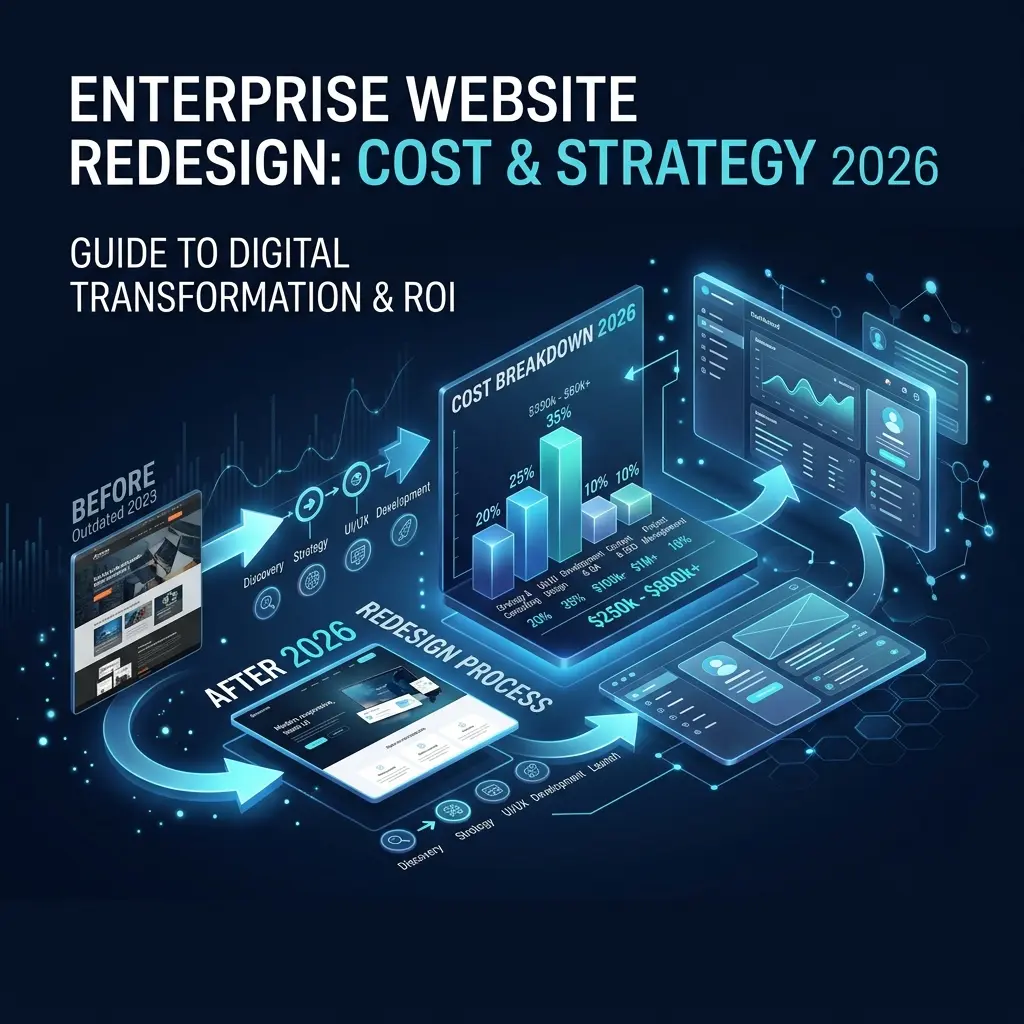
| Site size | Typical scope | Typical cost (USD) | Timeline |
|---|---|---|---|
| Corporate site (20 – 50 pages) | New design, CMS, forms, analytics, SEO migration | $15,000 – $45,000 | 3 – 5 months |
| Mid-market (50 – 150 pages) | Custom CMS architecture, CRM and marketing automation, multiple regions or languages, content strategy | $45,000 – $120,000 | 5 – 8 months |
| Enterprise platform (150+ pages) | Portals, e-commerce, ERP integration, many languages, design system | $120,000 – $400,000+ | 6 – 12 months |
What moves the price
- Number of unique page templates, more than the number of pages
- Integrations: CRM, marketing automation, ERP, ATS, SSO, search
- Content: how much is rewritten, translated or produced (photography, video)
- Languages and regions, including hreflang and localisation workflows
- Platform choice: licence fees for enterprise CMSs can exceed development costs
- Compliance: accessibility audits, security reviews, legal approvals
- Who you hire: large agencies, specialist studios, senior freelancers or remote developers
Ongoing costs
Budget for hosting, CMS or software licences, monitoring, security updates and a retainer for continuous improvement, often 10 – 20% of the build cost per year. For smaller sites, the ranges in how much a website costs in 2026 are more relevant.
Choosing the Platform
- WordPress (often headless or with a custom theme): familiar editing, huge ecosystem, cost-effective for content-led corporate sites.
- Enterprise CMS (Adobe Experience Manager, Sitecore, Optimizely): strong personalisation and workflow, high licence and implementation costs.
- Headless CMS (Contentful, Sanity, Strapi) with a custom front end: flexible and fast, needs more development.
- Custom application (for example Laravel with an admin panel): when the website includes portals, calculators, complex integrations or business logic.
Choose on content workflow, integrations, total cost of ownership and your team's skills, not on brand names. More in choosing an enterprise tech stack and WordPress vs custom development.
Agency, Specialist or Remote Developer?
Large agencies bring a full team and are suited to big multi-workstream programmes, at a premium. Specialist studios and senior freelancers are often better value for corporate and mid-market sites. Senior remote developers, working in your time zone, can deliver the same technical quality for considerably less, provided communication, project management and accountability are strong. Whoever you shortlist, ask for relevant redesign case studies, their relaunch and redirect process, how they handle content migration, and who will actually do the work.
Common Mistakes That Derail Redesigns
- Designing from opinion instead of data: the result looks different but performs the same.
- Leaving content until the end: the most common cause of delays.
- Too many decision-makers: appoint one accountable owner with authority to sign off.
- Launching without a redirect map: the fastest way to lose years of search traffic.
- Removing pages that rank because they did not fit the new design.
- Treating launch as the finish line instead of the start of continuous improvement.
Planning a Redesign or Relaunch?
I rebuild and relaunch business and enterprise websites for companies in the UK, US, Canada, Australia and Europe, with performance, integrations and SEO migration handled properly, working in your business hours. If you are unsure whether you need a redesign, a refresh or a modernisation of the platform underneath, I can review your current site and tell you honestly. Read signs your website is hurting your sales, see web application development, or get in touch.